I’ve probably tried switching to Linux a dozen times over the last twenty years, but I always ended up back on Windows. I am totally satisfied with Windows 11, and honestly it’s works pretty great. However, I am always looking to tinker, customize, and learn new things. Because of that, the idea of moving to Linux as my daily driver has always been appealing to me.
I’m only two weeks into CachyOS, but based on past experience, I would usually know by now how this was going to end. I’d be using a workaround, doing a few extra steps, and convincing myself sticking it out with Linux was worth it for the nerd cred. Eventually, those little inconveniences would add up, impact productivity, and ultimately become too annoying. At about the 1 month mark I would come crawling back to Microsoft.
This time has felt different. I’m comfortable, my stuff works, and I keep finding easier ways to do things. For somebody used to Windows, CachyOS has been surprisingly seamless.
The things I notice every day
KDE Plasma looks great. The desktop feels properly polished, and window management has been one of the biggest improvements for me. I can set rules for where windows go based on the application or even the window title. I always have at least 2 workspaces going, and the customizations here really shine. I know there are Windows add-ons that can also do these things. However, these were things that were just there on Cachy out-of-the-box.
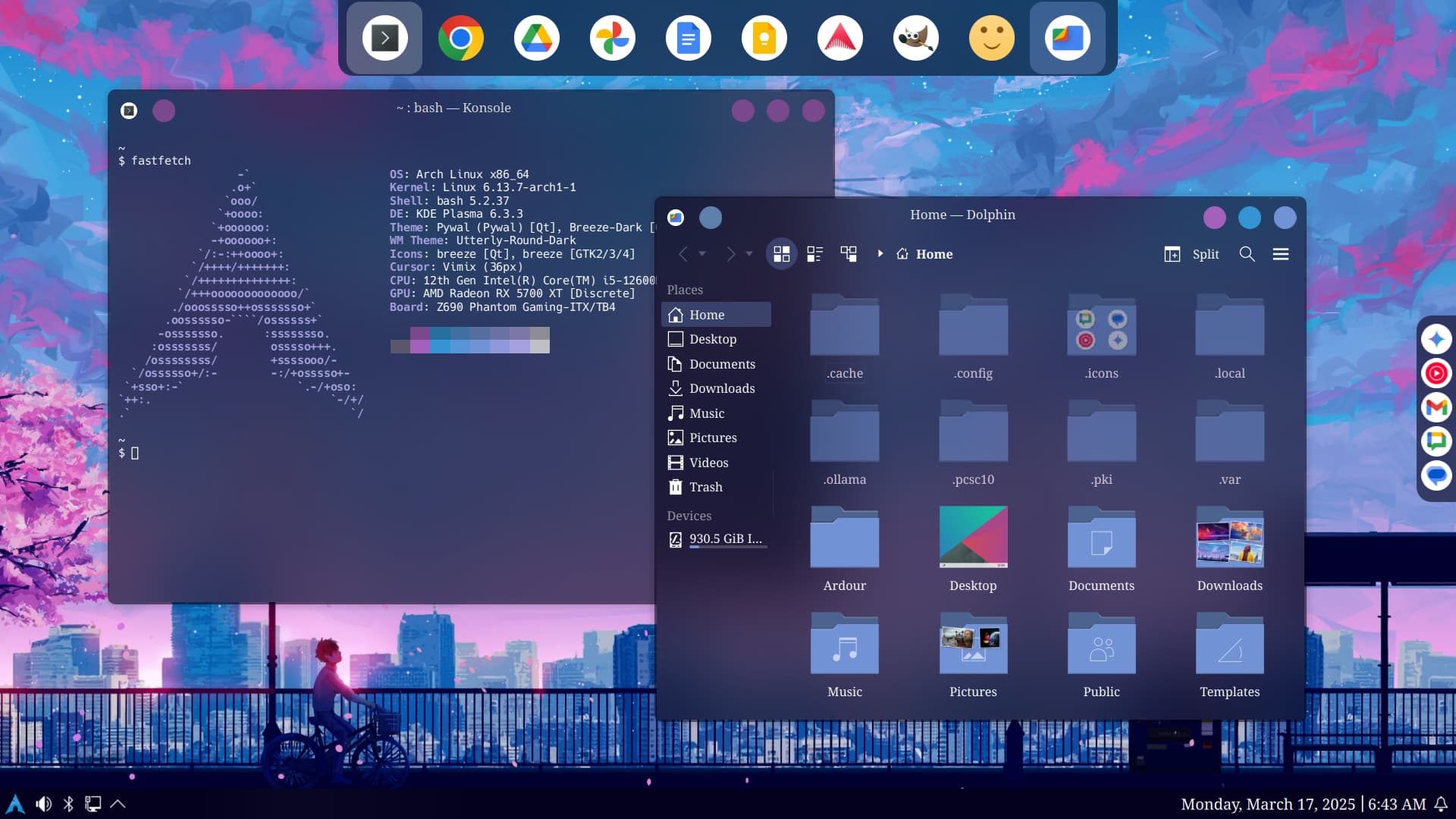
An example of KDE Plasma customization, running on Arch Linux. Desktop and screenshot by Nathaniel Krebs.
My everyday hardware worked without sending me off to download drivers. For some reason Bluetooth audio used to disconnect constantly in Windows. On this setup, the connection has been solid. There’s also a huge selection of software available through the built in app store, or you can install Shelly for an even better experience
None of that sounds particularly dramatic. But after years of Linux attempts where I was accepting little inconveniences, it’s nice to find that some of those inconveniences have actually gone away.
The deeply nonessential screen
There was one piece of hardware that needed some work: a USB-C screen that came with Windows-only support. It mostly just displays my YouTube Music playlist.
The screen isn’t important. But it’s there, it’s set up, and it worked in Windows. Leaving it blank would have given me a tiny, useless reminder of something I’d given up by switching to Linux. Apparently, that was enough to bother me.
I probably could have got it working on a previous Linux attempt, but the idea of digging into kernel-level customization seemed daunting. This time, though, I had AI in my toolkit. With its help, I wrote a driver and got the screen working, literally in 5 minutes. In my experience so far, it’s been much more stable than the questionable .exe which needed to stay running for this in Windows.
Writing a driver obviously counts as extra work. I was willing to do it because I had some help, and the rest of the desktop was already working well for me. Now the screen is back to its very important job of displaying my playlist.
What about Hello?
Face authentication has been around on Windows for over 10 years, and even longer on Android. I love it. It’s super convenient, and usually the first thing I setup on a fresh Windows install. Linux, does not have anything like this baked directly into the distribution, however there is an alternative - Howdy. Now, in the past, I have been able to get Howdy working great, but it has always been a lot of work. This time though, it was another 5 min operation, and it works flawlessly.
Proper Excel is ten seconds away
I don’t feel like I’m sacrificing much, apart from, cough, proper Excel. In general, web-based Office 365 gets the job done, but it misses some charts and VBA. These are real trade-offs. I don’t normally need a lot of 3D box-and-whisker charts, but I HATE the idea that I cannot make one if I want to.
For when I need to really go deep in Excel I have a Windows VM with Office installed, along with access to Ondedrive. I know its a trade-off, but I know that if it is necessary, I have a configured full screen windows install that is fully live in about 10 seconds. Having this VM available as a safety-net makes the switch easier. I can use the desktop I’m enjoying and still get into Excel, or any Windows-only app when I need it.
Fingers crossed
Two weeks in, I’m happy, but let’s keep our fingers crossed. I haven’t ruled out going back to Windows. I’m relying pretty heavily on an open-source Teams client, and I suppose its maintainer choose to abandon it at any time, which is always the risk with open source apps. That being, these apps are community-driven, meaning the popular ones are rarely maintained by only a single person, so the risk is small.
For now, I’m getting on with my work, finding things I like, and occasionally admiring a completely unnecessary screen. That’s a better start than the last dozen attempts.